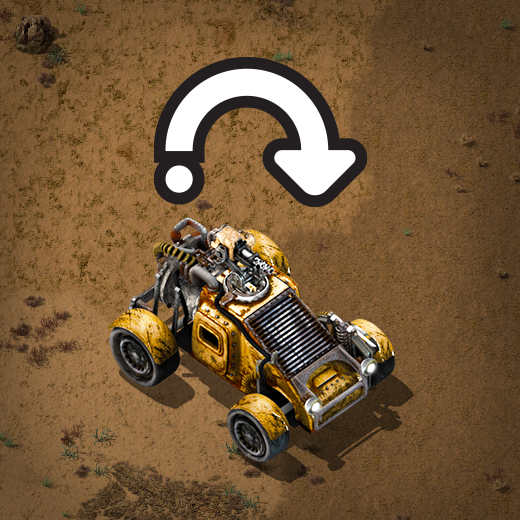
Scan-codes vs Key-codes (posila) While migrating from Allegro to SDL, HanziQ and Jiri replaced the keystroke handling from using key-codes to scan-codes. Before you start jumping with joy, you’ll probably wonder: What is that and why should I care? Well, funny you should ask. You probably won’t care, unless you live outside of USA and/or you use a non-US keyboard layout. In short, key-code is a key identifier dependant on the symbol the key will output when pressed, scan-code is a key identifier based on the physical location of a key. So for example players with French keyboard layout (AZERTY) have to jump to the control options after launching the game for the first time, and remap movement from WASD to ZQSD, in order to be able to move their character without hurting their hand. In 0.17, the controls will map to the correct keys by default, regardless of your layout, and stay mapped to those physical keys even if you for some reason change your keyboard layout while the game is running. The disadvantage is, most of the non-US layouts didn’t end up with completely broken controls, so people kept playing with them and got used to them. So they’ll need to get used to the layout the game was originally designed with, or manually configure controls back to what they are used to. But wait, there is a catch... A few weeks ago we have announced new construction tools, which are by default bound to quite universal shortcuts (Ctrl+C for copy, Ctrl+X for cut and Ctrl+Z for undo). Bilka pointed out that the German keyboard has Z swapped with Y (as does the Czech one, but developers often don't use it) and undo incorrectly defaults to Ctrl+Y instead. To fix these kind of shortcuts we determine the appropriate default scan-codes at start-up, so that undo is always Ctrl+Z, regardless of your layout, but the action will stay bound to those keys if you change keyboard layout at runtime, which is hopefully a reasonable compromise. We might do it for other controls too (it feels natural for M to always be the default key to open the map, and T to open the technology screen), but there is another catch. It is completely reasonable for player to walk north, and Ctrl+click some entities. Remember AZERTY keyboard? Player keeps Z pressed down to walk north and presses Ctrl to start control clicking. Well, I tested this and it doesn’t trigger undo, but still stops player from walking. So it is not completely destructive, rather annoying. I am not sure how or if we’ll solve this, perhaps people with these layouts that create these kind of collisions will need resolve them by changing controls options manually.
Hello, We have another exciting batch of facts for you today.
Hello all, This week's instance of FFF is brought to you by cube, your friendly neighbor clueless network programmer. This post will be more technical than usual, so let us know if you found it interesting.
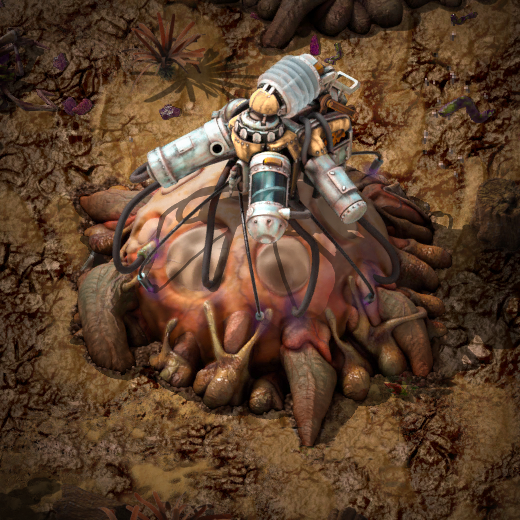
Hello, It's time to speak about more Gleba. Some changes, and also something new...
Hello, not much at all has happened this week. It has been rather quiet with the Art department out of office the last few days. However there has been some additional success on our recruitment drive, so there will be an additional 3-4 bodies (live) in the office within the next month.
Good evening, after a long long bug fixing period we have declared the 0.12.20 as a stable release. Owing to the great effort of all the developers, the open bugs count at the forums is at unbelievable ... wait for it =) ... 3 items. And one of these will be solved by us dropping support for the OSX Snow Leopard. So unless there are quite a few people who have been holding the bugs reports back (out of pure mercy with us of course=)) the game should be rather stable.
Hello, Denis has joined us for another month here in the office, a small overlap with Rseding who is flying back to the USA next week. With the festive season upon us, Tomas and Kovarex have both taken some time off for a vacation.
Hello These weeks are quite quiet. We (Me and Kuba) are fighting the never ending wall of bugs, and Albert with Pavel (The graphics department) are doing the preparations of the 0.12 endgame graphics.
Hello, the summer has hit Prague with full power. The temperatures are above 30 Celsius in the shade. Fortunately, our office is in the old stone building, so the climate here is quite comfortable even without the air-conditioning.
